It usually starts with an email you nearly miss: your listing has been suspended. Then you check, and your business has vanished from Google Maps and local search. A Google Business Profile suspended notice is scary because the profile is often a local business’s biggest source of calls — and Google’s message rarely explains exactly what you did wrong.
Do not panic, and do not rush. Reinstatement is a process with a right order: understand the suspension, fix the real cause, gather proof, then appeal once, properly. Profiles get reinstated every day. Here is how to give yours the best chance.
The short answer
If your Google Business Profile is suspended, do not create a new one: clean up the original profile first — real trading name, correct address or service areas, no duplicates, right category — gather proof the business is real, then submit one complete reinstatement request and wait. Most genuine businesses that fix the cause get reinstated.
What a suspension actually means
There are two broad types. A soft suspension means your profile no longer shows publicly, but you can still access and edit it in your dashboard. A hard suspension removes the listing more completely and is usually tied to a profile Google believes is fake, ineligible, or seriously misleading.
In both cases, the profile is not necessarily deleted — it is parked while Google decides whether it trusts it. Your job is to make trusting it easy.
The most common reasons profiles get suspended
Google does not always say, but in practice the same causes come up again and again:
- A stuffed business name — keywords, locations, or slogans added to the name field that are not part of your real, registered business name.
- Address problems — a home address displayed publicly for a service-area business, a virtual office, a PO box, or an address that does not match your documents.
- Duplicate profiles — more than one listing for the same business at the same location.
- A risky edit — a sudden change of name, address, or category on an established profile can trigger a review and a suspension.
- An ineligible business — a business with no real customer contact, or one operating only online, listed as if it were a local storefront.
Read that list honestly against your own profile. The cause is usually hiding in it.
Step 1: Do not create a new profile
The instinct to “just start again” is understandable — and it makes things worse. A fresh duplicate competes with the suspended listing, looks like an attempt to dodge the rules, and can get suspended too. Work on reinstating the original profile. It carries your reviews, your history, and your ranking.
Step 2: Clean up the profile before you appeal
Appealing a profile that still breaks the rules wastes your one clean shot. Before you submit anything, fix what you can see:
- Set the business name to your exact real-world name — the one on your signage, invoices, and registration.
- Correct the address, or hide it and set service areas if customers do not visit your premises.
- Remove duplicate listings for the same business and location.
- Check the primary category genuinely describes what the business is.
If the suspension is a soft one and you can still edit, make these corrections first and let the profile sit accurate and consistent.
Step 3: Gather your proof before you write a word
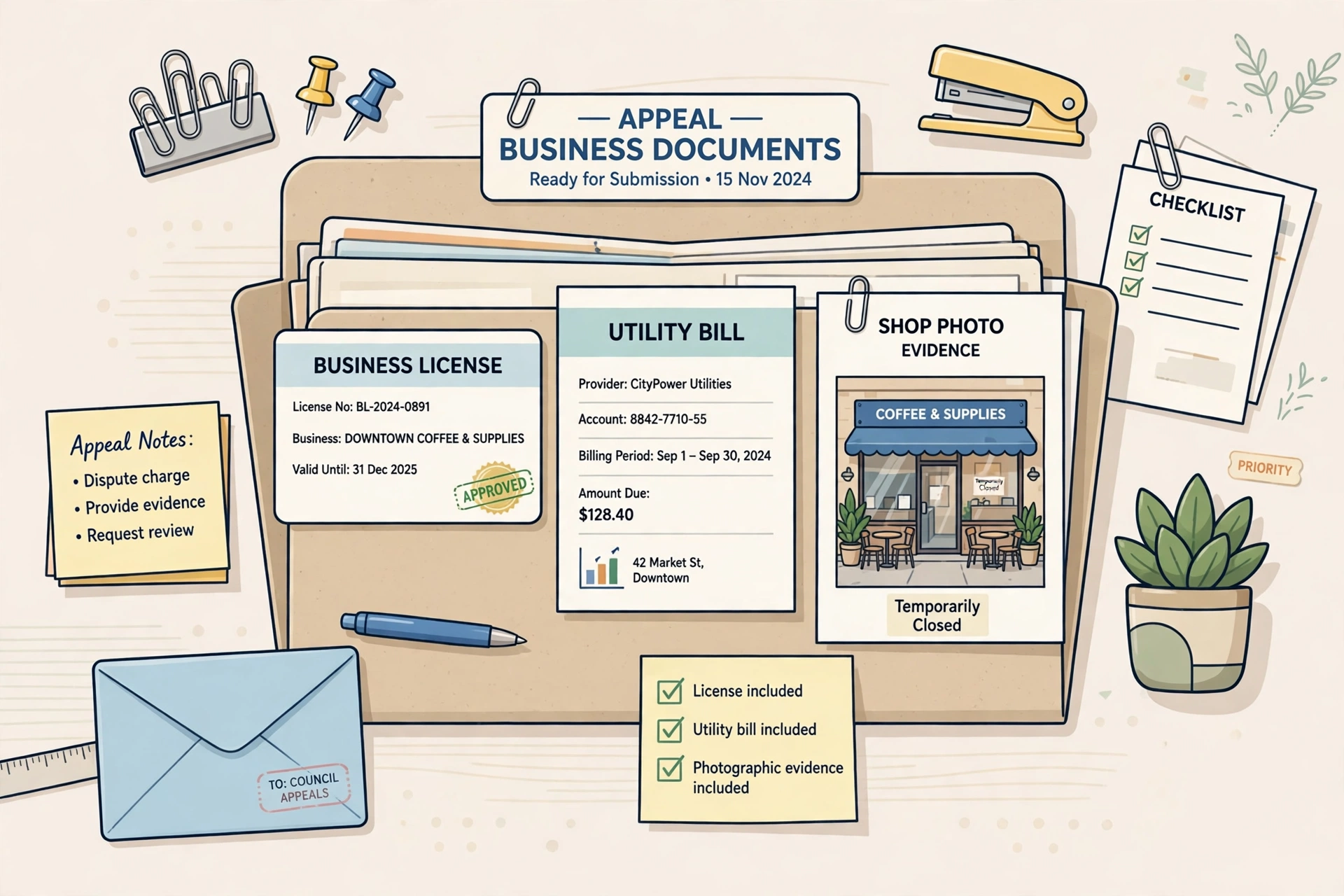
Google’s reinstatement process may ask for evidence that your business is real and operates at the stated address. Have it ready before you appeal: business registration or licence, a recent utility bill or lease in the business name, and clear photos of your permanent signage and premises (or your branded vehicle and equipment, for a service-area business). Files named clearly and matching your profile details exactly will save days of back and forth.
Step 4: Submit the reinstatement request once, completely
Use Google’s official reinstatement request flow from your Business Profile help options. Explain briefly and factually what the business is, what you believe was wrong, and what you have fixed. Attach your proof. Then wait — chasing with repeated submissions does not speed anything up and can muddy the case. If Google asks for more information, reply in the same thread with exactly what they asked for.
While you wait, protect the rest of your presence
A suspension hides you from Google, not from the world. Make sure your website shows your correct name, address, and phone number, keep your other directory listings accurate, and tell regular customers how to reach you directly. When the profile returns — and for most genuine businesses that fix the cause, it does — everything else will already line up behind it.
If the appeal is refused, do not give up at the first no
A refusal usually means Google still sees a problem, or the proof did not convince them — not that the business is banned forever. Re-read the profile against the guidelines with fresh eyes, ideally by asking someone uninvolved to compare your listing against your signage, registration, and website. Fix anything that still does not line up exactly, gather stronger proof if your documents were unclear, and submit a further appeal explaining what has changed since the last one. Vague repeat appeals with nothing new in them rarely succeed; specific corrections, clearly documented, are what turn a no into a yes.

Questions owners ask next
How long does reinstatement take?
There is no published timetable, and chasing does not shorten it — repeated submissions can muddy the case rather than speed it up. What you control is the quality of the single request: a profile already cleaned up, with clear proof attached and files named so they match your profile details exactly, saves days of back and forth if Google asks for more.
Can my business still show on Google while it is suspended?
No. A suspended profile is hidden from Google Maps and local search, and it cannot rank again until reinstatement is approved — no other fix works around that. While you wait, keep the rest of your presence accurate: your website and directory listings showing the correct name, address and phone number, so everything lines up behind the profile when it returns.
Will I lose my reviews if I just start a new profile?
A new profile starts from zero — no reviews, no history, no ranking. Worse, a fresh duplicate created to dodge a suspension competes with the suspended listing, looks like an attempt to sidestep the rules, and can be suspended itself. The original profile carries everything worth saving, which is why reinstatement, not replacement, is always the route.
What proof should I attach to the reinstatement request?
Evidence that the business is real and operates where the profile says: business registration or a licence, a recent utility bill or lease in the business name, and clear photos of your permanent signage and premises — or, for a service-area business, your branded vehicle and equipment. Everything should match the profile’s name and address exactly, because mismatches are often what caused the problem.
What to do next
Start with the honest audit: name, address, duplicates, category. Fix first, appeal once, with proof ready. If you manage profiles for clients and want the routine of keeping them accurate and suspension-resistant to be less manual, you can see how I organise that work on my Local Alchemist AI page. If it still does not show after reinstatement, check why your business is not showing on Google Maps.
Disclosure: the page linked above contains an affiliate link. If you buy through it, I may earn a commission at no extra cost to you.