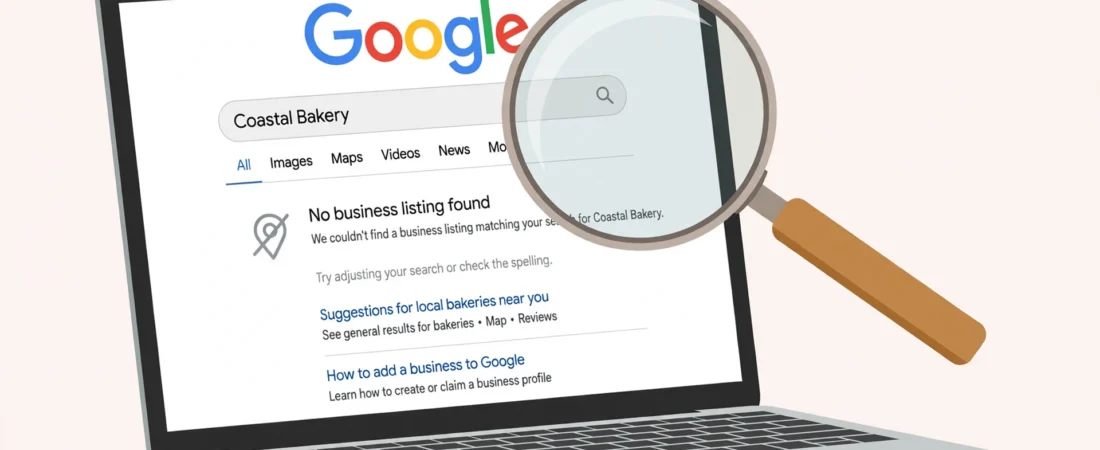
Your customers type your business name into Google — and nothing of yours shows up. No knowledge panel, no listing, just competitors and directories.
Before you panic, it helps to know what “not showing in search” actually means. A profile can be invisible in ordinary search results for a completely different reason than a missing pin on Google Maps, and the fix depends on which problem you have.
The short answer
If your Google Business Profile is not showing in search, work through seven checks in order: name search, dashboard status, suspension, primary category, name/address/service area, completeness, and duplicates. Unfinished verification is the most common cause; a suspended profile disappears entirely. Most cases are solved by the dashboard, suspension and category checks — stop at the first failure.
Search results and Maps are not the same place
When someone searches “plumber Leeds” on Google, two things can appear: the usual list of web pages, and a local results box with a map and a few business listings. A business can show in one and not the other. Your profile might be live on Maps but still not surface in search, because search weighs relevance, distance, and prominence differently, and because a profile with a problem — verification pending, a suspension, or a thin profile — may be held back from search results even while it technically exists. That distinction matters: if your pin itself is missing on Maps rather than in search, start with the Maps visibility checks instead.

Start with the check sequence, not a guess
Work through these checks in order, and stop at the first one that fails — that is usually your answer. Freelancers who run these checks for clients often keep them in a single organised workflow so no step gets skipped.
- Search your exact business name plus your town. If nothing appears, your profile may not be verified, may be suspended, or may never have been published.
- Sign in to your Business Profile dashboard. A “verification pending” notice means limited visibility in search.
- Check for a suspension notice. A suspended profile can disappear from search entirely.
- Check your primary category. A plumber listed under “general contractor” will not match searches for “plumber” as well as one listed under “plumber”.
- Check your business name, address, and service area. A name customers do not search for, or a service area that excludes their town, will both hurt.
- Check your profile completeness. A profile with no description, no photos, no hours, and no reviews gives Google very little to rank.
- Check for a duplicate. If another listing for the same business exists, Google may show that one instead — or split the signals between the two.
Most cases are solved by steps 2, 3, or 4.
Verification pending is the most common cause
Unfinished verification is the most common reason a business does not show in search. Google needs to confirm you actually operate at that address or serve that area before it puts you in front of searchers. Until verification completes, your profile may be barely visible or not visible at all.
If you requested verification by postcard, allow the delivery time and check the dashboard for the option to enter the code. Do not create a second profile while you wait.
Suspension removes you from search altogether
If your profile was suspended, it will not show in search while the suspension stands. Suspensions happen for reasons like a business name stuffed with keywords, an address that does not match a real location, or a profile that breaks Google’s guidelines in some other way. The dashboard will tell you if you are suspended, and reinstatement means fixing the guideline problem first and then submitting a reinstatement request with evidence that the business is real. If you find one, see the reinstatement steps before resubmitting.
The wrong category hides you from the right searches
Google matches search queries to categories. If you run a bakery but your primary category is “cafe”, you will show up for cafe searches and struggle for bakery searches — even though your business does both. Pick the single category that best matches the service customers actually search for, and use additional categories only for genuine secondary services. Changing it is free and instant.
A thin profile gives Google nothing to rank
Imagine two plumbers in the same town. One has a full description, opening hours, ten photos, and twenty reviews. The other has a name and a phone number. When someone searches “plumber near me”, which one does Google have more reason to show? A profile with almost nothing on it is easy for Google to pass over in favour of fuller ones. Fill in every field you honestly can: description, hours, services, photos, and attributes that apply to you.
Service-area and distance confusion
If you serve customers at their homes rather than from a shop, your profile should be set up as a service-area business, with the towns you cover listed. If the service area is too narrow, searchers in the places you do serve may not see you. Equally, if a searcher is a long way from your listed address or service area, Google may simply prefer closer businesses — that is distance doing its job, not a fault in your profile.
An illustrative example: the missing Leeds plumber
Here is a worked example, clearly illustrative, of how the check sequence plays out. A plumber in Leeds — call him Dan — searched his exact business name and found nothing. In his dashboard he found no suspension notice, but verification was still pending: he had requested a postcard six weeks earlier and never entered the code because it arrived while he was on holiday and got buried in the post. He entered the code that evening. Two days later his profile appeared for his exact business name. A week later, after he also fixed his primary category from “general contractor” to “plumber” and added a description and five photos, he began appearing for “plumber Leeds” searches too. The whole fix took one evening of work plus the verification wait — but the first check, not a guess, found the real cause. Running the sequence from a single organised checklist would have found it in minutes.
One labelled note: country differences
The causes above work the same in the UK, US, Canada, and Australia, because they come from Google’s own profile system rather than any local rule. One genuine difference is postal verification: postcard delivery times vary by country, and in some rural areas they run longer. Another is naming: in the UK, searchers often include the town in the query (“plumber Leeds”), while in the US they more often search with a neighbourhood or a “near me” phrase.
Questions owners ask next
My profile shows on Google Maps but not in search — is that possible?
Yes, because they are not the same place. Search results and the map box weigh relevance, distance and prominence differently, and a profile with a problem — verification pending, a suspension, or a very thin profile — may be held back from search even while it technically exists on Maps. Work the check sequence either way; the cause is usually found in the dashboard, the category, or the profile’s completeness.
My verification postcard arrived weeks ago and I never entered the code — what now?
Enter it now. In the worked example in this article, a Leeds plumber’s profile was invisible for one simple reason: the postcard arrived while he was on holiday, got buried in the post, and the code was never entered. Once entered, the profile appeared for his exact business name within two days. While you wait for any verification step, do not create a second profile — that creates a duplicate problem on top of the first one.
Will changing my primary category really change what I show for?
Yes — Google matches search queries to categories. A bakery listed under “cafe” shows for cafe searches and struggles for bakery searches, even though the business does both. Pick the single category that best matches the service customers actually search for, and use additional categories only for genuine secondary services. Changing it is free and instant, which makes the category check one of the highest-value stops in the sequence.
Google shows a different listing for my business instead of mine — why?
That points at the seventh check: a duplicate. If another listing for the same business exists, Google may show that one instead — or split your signals between the two, weakening both. Search your exact business name plus your town, compare what appears with the profile you manage, and deal with the duplicate rather than editing your own listing harder and harder.
What to do next
Run the seven-step check sequence above and fix the first failure you find. If you check profiles for clients and want the verification, category, and completeness checks organised into one repeatable routine, you can see the system I use on my Local Alchemist AI page. Note that it needs your own hosting and your own API keys, and its AI output needs a human review before anything goes live — it organises the work, it does not replace your judgement.
Disclosure: the page linked above contains an affiliate link. If you buy through it, I may earn a commission at no extra cost to you.